• Home
  • About Me
  • Contact Me
  • Downloads
  • White Papers
  • Web Sites
  • Post List
  • Articles
  • FAQ

Olof Simren - Microsoft Dynamics 365 Business Central Blog

  • Home
  • About Me
  • Contact Me
  • Downloads
  • White Papers
  • Web Sites
  • Post List
  • Articles
  • FAQ

Copilot Inventory Queries

October 8, 2025 Posted by Olof Simren Development, Inventory, Miscellaneous 2 Comments

As we all know, Microsoft is adding Copilot features to everything these days. Every new version of Business Central has more Copilot than the last version and soon there is not a single place in the application that does not have a Copilot feature.

This is great and most people are excited about it. The Copilot features and the underlying AI capabilities are what get people talking when we present Business Central to customers. Most of what I work with are manufacturing companies and almost all of them have their own AI initiatives, sometimes those are just around being creative and coming up with ideas where AI can be applied. Coming up with the ideas seems to almost be harder than the implementation of AI itself.

The Copilot Tools for Business Central

Microsoft have provided us partners with some nice options to build our own Copilot features in Business Central and through this assist our customers with realizing their AI dreams (or at least try to create something that provides what they are looking for). I have created our own Copilot feature for Business Central with the purpose of helping with managing and planning of inventory. I call it Copilot Inventory Queries, and it is available to install and download for free from Microsoft AppSource here:

Copilot Inventory Queries for Business Central

This extension allows you to get AI via the Copilot interface to answer questions like what the reorder point should be for an item, when it is time to replenish it, is it trending up or down, orders in trouble, etc. The result of a query like that looks like below and comes with not just the suggestion but also an explanation to the reasoning behind the suggestion. Pretty nice, right? 🙂
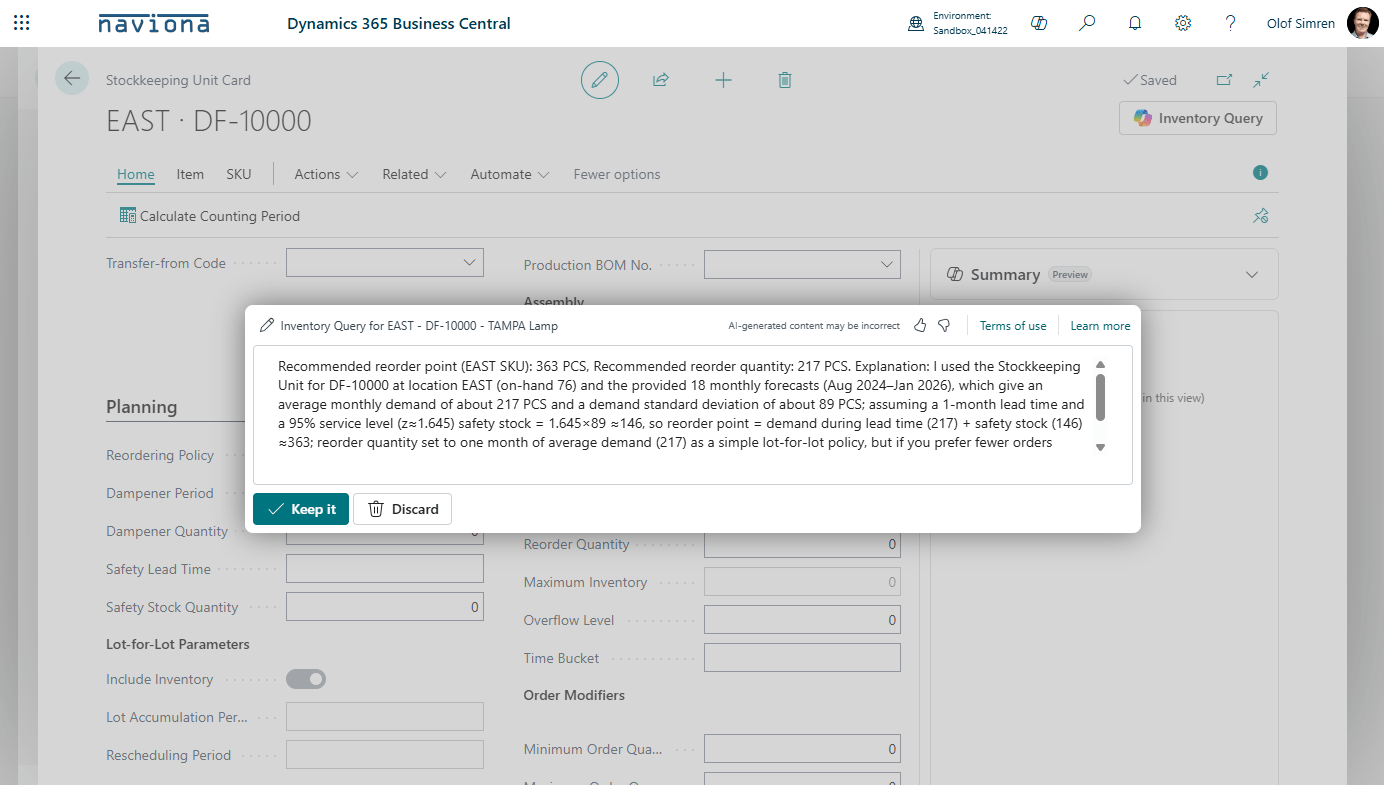
Copilot Inventory Query Result

I primarily build this to learn the tools and what the capabilities are, to get on the ‘AI train’ and not just standing on the platform watching it go by. It is surprisingly simple to create, you need to learn the Copilot interface features that Microsoft provides, which are here:

Build the Copilot capability in AL

Or if you are using the fantastic GitHub Copilot feature in Visual Studio then you can just ask that one for help. That piece is my new favorite, maybe for a future post.

The Azure OpenAI Deployment

You need a backend AI model in Azure AI, you set that up in the Azure AI Foundry and it looks like below. From this model you need 3 things; the endpoint, the deployment name of the model and the api key.

Azure OpenAI Model in Azure AI Foundry

I added those 3 things into a setup table in BC like below. For the API key I added some code that stores the value in the isolated storage, so it is not accessible to the rest of the application.
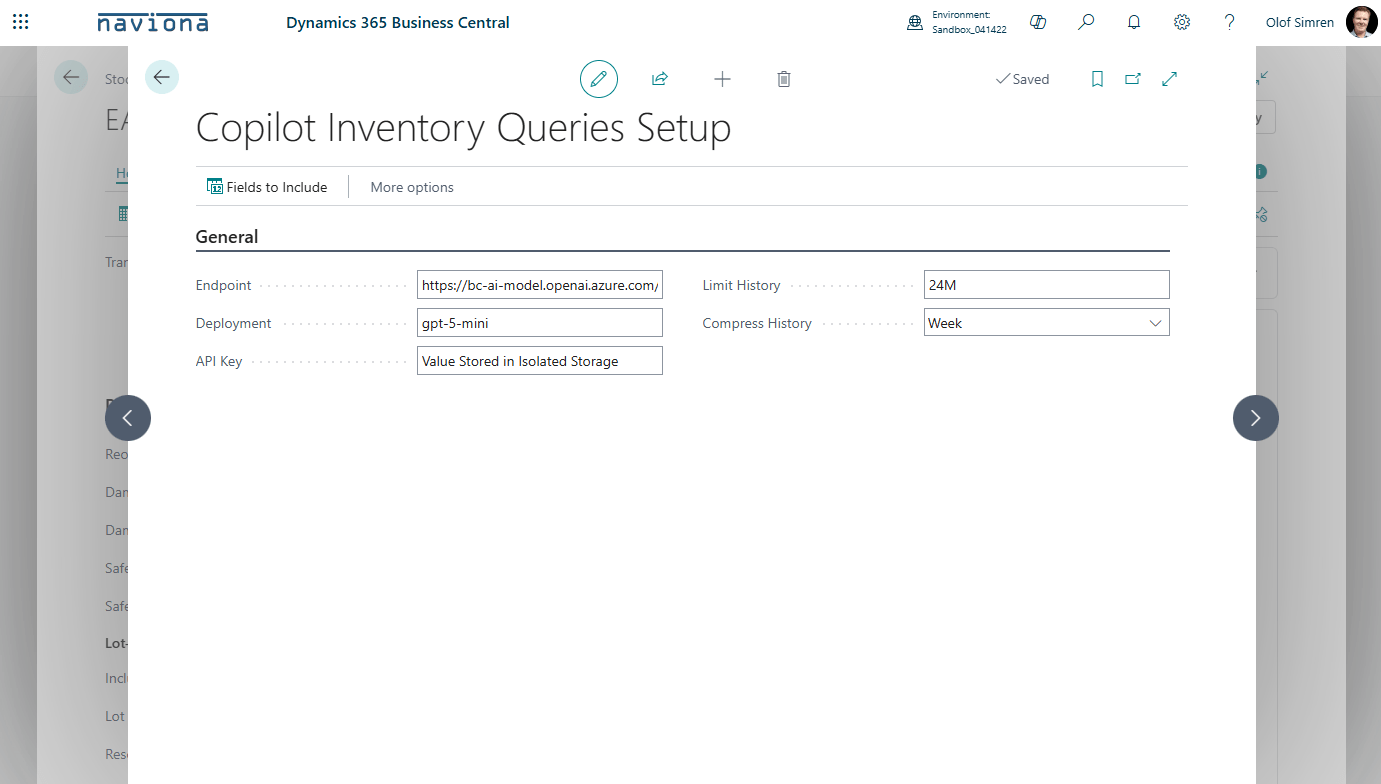
Copilot Inventory Queries Setup

Once you have the backend AI model and a setup table that stores the link to the model you are ready to build the application. The prompts are created with the already defined Copilot prompts in BC, and they come with some animation that runs when BC is waiting for the AI model to reply (looks nice a colorful).

Providing the Prompts

You can prompt it to return just text with an explanation (the way I have it in the above example), or you can prompt it to return structured data that can be used by BC to process (or both actually).

In my case I have defined a system prompt that tells the AI model the following:

The user will provide inventory data from Microsoft Dynamics 365 Business Central along with a question. Use the inventory data to answer the question as best as you can.  Include an explanation to your answer.

When the user then enters the question in the prompt the AI model knows that it is related to Business Central and that inventory data will be provided. In my code I then grab the question the user entered, and I add Json formatted inventory related data such as item ledger entries, open orders, etc. The AI model figures it out and the response is displayed to the user.

I am aware that the more data you send to the AI model the longer the repose will take and the more it will cost in terms of AI resources, so I included some features that can compress the item ledger entry data before it is sent to the AI model. I also not sending all the fields from the tables, only fields that would be relevant are sent but I built it so the supplied fields can be changed.

Time to Test the Copilot Prompts

With that done I can now test it, below are some examples of queries and the replies.
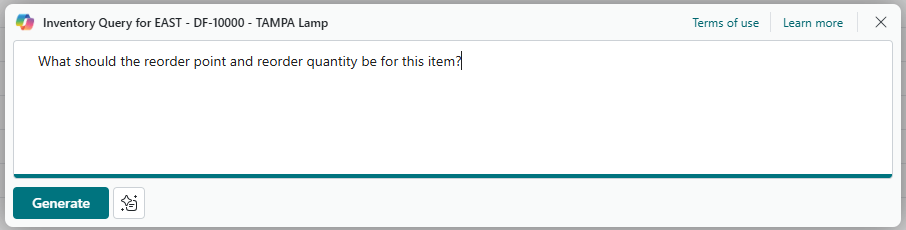
Test query asking for suggestion for reorder point and reorder quantity.
The result when asking for reorder point and reorder quantity
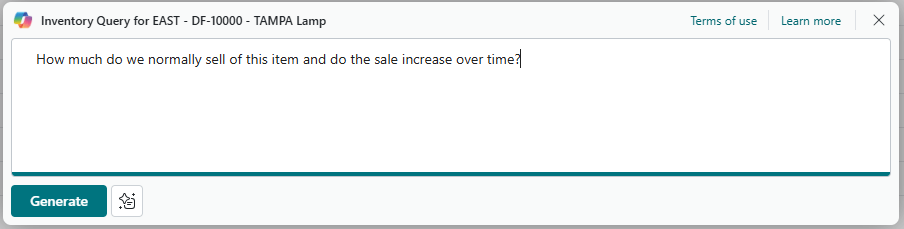
Another test query asking how much is normally sold
The result of asking how much is normally sold
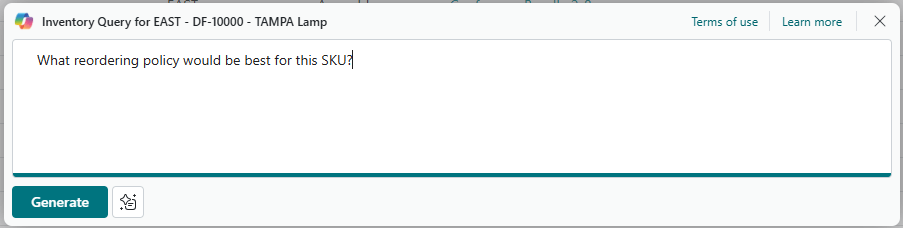
A third test query asking for a recommendation of reordering policy
The result when asking for recommended reordering policy

I think the above results are very cool, and I can spend lots of time coming up and testing new queries. It is almost like working in a team managing inventory and having a coworker that just knows everything and can answer faster that I can write the questions, and never sleeps. 🙂

Potential Future

My plan with this is to continue improving this solution. I have some ideas to make it explain MRP suggestions, review production allocation across work centers, maybe do some forecasting, etc. So, if you install this extension in your BC environment you will be able to get all the updates along the way. Let me know what you think about this, happy to get feedback, both good and bad…

Below is an introduction video of it as well. Cheers!

Share this:

  • Share on Facebook (Opens in new window) Facebook
  • Share on X (Opens in new window) X

Related


Discover more from Olof Simren - Microsoft Dynamics 365 Business Central Blog

Subscribe to get the latest posts sent to your email.

Tags: AIAppSourceCopilotInventory
2 Comments
Share
2

About Olof Simren

I am a Microsoft Dynamics NAV and 365 Business Central Expert, I started implementing Microsoft Dynamics NAV in 2002, back then it was called Navision Attain. Throughout the years there has been many exciting implementations in different parts of the world, all of them with different challenges but with one common theme; manufacturing. As a consultant, I bring over 20 years of experience in implementing Microsoft Dynamics NAV and 365 Business Central within manufacturing and distribution companies. The services I offer includes project management, consultation, development and training. Feel free to contact me if you need help with anything related to Microsoft Dynamics NAV or 365 Business Central. I work through my company Naviona where I team up with other skilled Microsoft Dynamics NAV and 365 Business Central Experts.

You also might be interested in

Copilot in Planning Parameter Worksheet

Oct 31, 2025

The development of the Copilot Inventory Queries extension that I[...]

Consignment Inventory

Apr 26, 2015

Being able to handle consignment inventory in Microsoft Dynamics NAV[...]

Add Fields to the Item Tracking Lines

Jun 7, 2016

This blog post is to describe how fields can be[...]

2 Comments

Leave your reply.
  • Mirko Draškovič
    · Reply

    October 9, 2025 at 3:52 AM

    Well, next step is probably to integrate this AI feature to your Naviona Planning Parameter Worksheet 😉 😀
    Top post, btw!!!

    • Olof Simren
      · Reply

      Author
      October 9, 2025 at 7:41 AM

      Hi Mirko,
      It is like you are reading my mind. 🙂

Leave a Reply

Your email is safe with us.
Cancel Reply

Subscribe to My Blog via Email

Check Out Our Apps in AppSource

My Dynamics NAV Partner

Naviona, LLC

Categories

  • Assembly (3)
  • Development (35)
  • Finance (14)
  • General (28)
  • Inventory (24)
  • Manufacturing (36)
  • Miscellaneous (27)
  • Purchase (9)
  • Sales (11)
  • Warehouse (7)

Tags

.net Add-in AI AppSource Assembly Assembly BOM Business Central CAL Capacity Consumption Contact Copilot Costs Customer Development Dimensions Excel Finance Flushing General Ledger Inventory Item Item Tracking Low-Level Code MRP NAV 2015 NAV 2016 Output Planning Production Production BOM Production Orders Purchase Orders Receipts Reporting Reports Routing Sales Sales Order Stockkeeping Unit Subcontracting Task List Warehouse Warehouse Shipment Work Center

Recent Posts

  • Business Central Configuration Audit using Vibe Coding
  • Copilot in Planning Parameter Worksheet
  • Copilot in Planning Worksheet
  • Copilot Inventory Queries
  • Record Deletion Tool for Business Central in AppSource
  • Reopen Finished Production Orders
  • XML Buffer and CSV Buffer Tables
  • Functionality Improvements in NAV 2017
  • Reversing Production Output and Consumption
  • Return Merchandise Authorization (RMA)

Categories

  • Assembly
  • Development
  • Finance
  • General
  • Inventory
  • Manufacturing
  • Miscellaneous
  • Purchase
  • Sales
  • Warehouse

Contact Us

We're currently offline. Send us an email and we'll get back to you, asap.

Send Message

Categories

  • Assembly (3)
  • Development (35)
  • Finance (14)
  • General (28)
  • Inventory (24)
  • Manufacturing (36)
  • Miscellaneous (27)
  • Purchase (9)
  • Sales (11)
  • Warehouse (7)

Tags

.net Add-in AI AppSource Assembly Assembly BOM Business Central CAL Capacity Consumption Contact Copilot Costs Customer Development Dimensions Excel Finance Flushing General Ledger Inventory Item Item Tracking Low-Level Code MRP NAV 2015 NAV 2016 Output Planning Production Production BOM Production Orders Purchase Orders Receipts Reporting Reports Routing Sales Sales Order Stockkeeping Unit Subcontracting Task List Warehouse Warehouse Shipment Work Center

Recent Posts

  • Business Central Configuration Audit using Vibe Coding
  • Copilot in Planning Parameter Worksheet
  • Copilot in Planning Worksheet
  • Copilot Inventory Queries
  • Record Deletion Tool for Business Central in AppSource
  • Reopen Finished Production Orders
  • XML Buffer and CSV Buffer Tables
  • Functionality Improvements in NAV 2017
  • Reversing Production Output and Consumption
  • Return Merchandise Authorization (RMA)

Recent Comments

  • Olof on Business Central Configuration Audit using Vibe Coding
  • Andrew Trayfoot on Business Central Configuration Audit using Vibe Coding
  • Barrett Allen on Reopen Finished Production Orders
  • Kateryna on Business Central Configuration Audit using Vibe Coding
  • Takeshi Setoya on Reopen Finished Production Orders
  • Steve on Consignment Inventory
  • Olof Simren on Copilot in Planning Worksheet
  • Omaer Amjad on Copilot in Planning Worksheet

© 2026 · Olof Simren

  • Home
  • About Me
  • Contact Me
  • Downloads
  • White Papers
  • Web Sites
  • Post List
  • Articles
  • FAQ
Prev Next